|
1
|
|
|
2
|
- Joomla is a modular content management system (CMS)
- It enables you to build Web sites and powerful online applications.
- Joomla is an open source solution that is freely available to everyone.
- Joomla is the most popular open source CMS currently available (200,000
registered users).
- With a minimal amount of instruction, you can be empowered to easily
manage your own sites.
- Joomla is highly extensible and thousands of extensions (most for free)
are available.
- Joomla runs off PHP/MySQL
- JOOMLA IS AN ALLINCLUSIVE APPLICATION
|
|
3
|
- A computer application used to create, edit, manage, and publish content
in a consistently organized fashion.
- The content manager may include computer files, images, audio files,
video files, electronic documents, and Web content.
- Allows for the ability to assign roles and responsibilities to different
content categories or types.
- The ability to track and manage multiple versions of a single instance
of content.
- The ability to publish the content to a repository to support access to
the content (search and retrieval).
- Designed to simplify the publication of Web content to Web sites, in
particular allowing content creators to submit content without requiring
technical knowledge of HTML or the uploading of files.
- Some help from wikipedia here J
- JOOMLA (CMS) IS AN APPLICATION
|
|
4
|
|
|
5
|
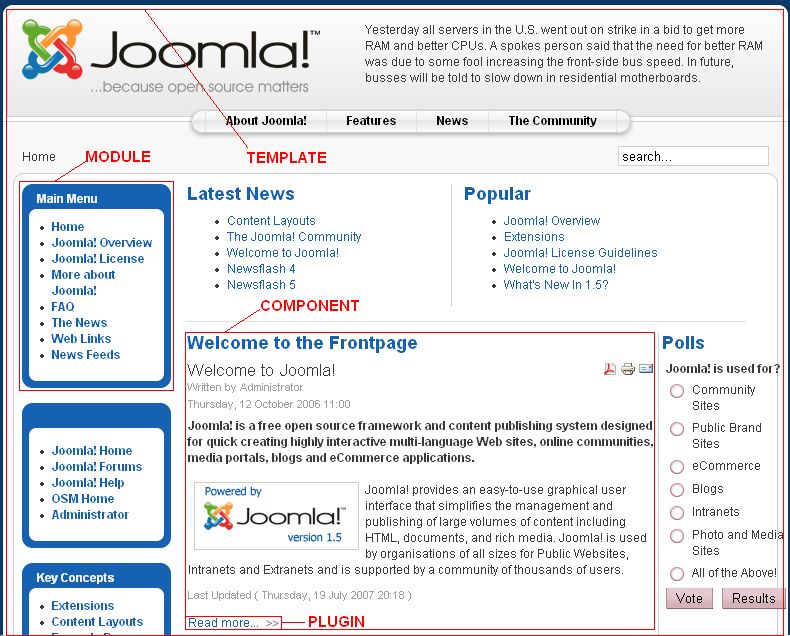
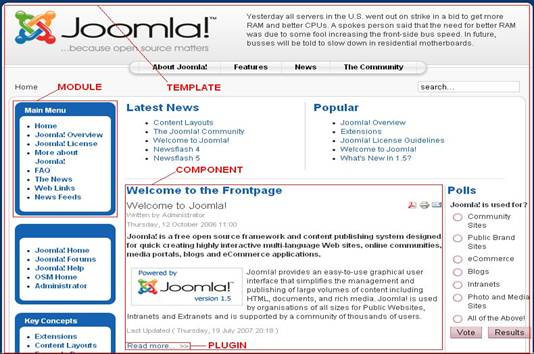
- A template is basically the design of your Joomla! powered website.
- With a template you can change the look and feel of your website.
- Templates have certain fields in which components and modules will be
shown.
- Templates are easy to build or customize and they provide maximum
flexibility in how you style your site.
- There are many places that offer free templates (joomla24, siteground…).
- Downloaded templates can be customized.
- Admin head menu > “Extensions” > “Template Manager”
|
|
6
|
|
|
7
|
- A component is the largest and most complex extension of them all.
- They can be seen as mini-applications.
- There are two parts in a component, an administrator part and a site
part.
- Every time a Joomla page loads, a component is called to render the main
page body.
- Components are the major portion of your page because a component is
driven by a menu item and every menu item runs a component.
- For example: com_content, com_registration
- Admin head menu > “Components”
|
|
8
|
|
|
9
|
- Modules are more lightweight and flexible extensions used for page
rendering.
- Sometimes modules are linked to components such as the “latest news”
module which links to the com_content and displays links to the newest
content items.
- These modules are mostly known as the “boxes” that are arranged around a
component, for example: the login module. The footer is a module.
- Modules are assigned per menu item. So, you can decide to show or hide
the logon module depending on which component (menu item) is used.
- Modules do not need to be linked to components, as a matter of fact they
don't even need to be linked to anything and can be just static HTML or
text.
- For example: mod_banners, mod_mainmenu
- Admin head menu > “Extensions” > “Module Manager”
|
|
10
|
|
|
11
|
- Plug-ins are more advanced extensions and are in essence event handlers.
- In the execution of any part of Joomla, be it the core, a module or a
component, an event can be triggered. When an event is triggered,
plug-ins that are registered with the application to handle that event
execute.
- Plug-ins were also known as mambots.
- Example – Video code handler.
- For example: content.searchbot, tinymce
- Admin head menu > “Extensions” > “Plug-ins Manager”
|
|
12
|
|
|
13
|
|
|
14
|
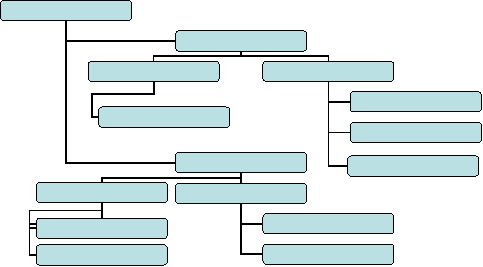
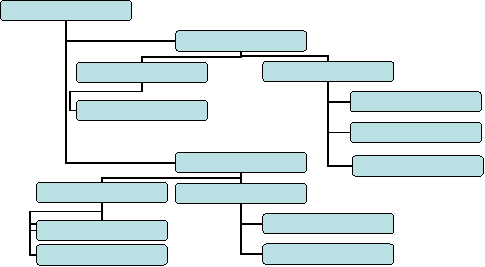
- Highest Level of organization.
- Contains sub directories called “Categories”.
- Required – there must be a place to put content!
- Can be enabled or disabled as a whole.
- Can be linked to Menus
|
|
15
|
- Second Level of Organization
- Requires a Section assignment
- Contains “Site Content” or the actual page content that would normally
be considered html files.
- Can be enabled or disabled as a whole.
- Can be linked to menus as a table or in blog format.
|
|
16
|
- These are your pages.
- Must have a Section and Category.
- Stored in the database (not actual files).
- Can be linked to menus.
- Can be time stamped.
- Are specifically assigned.
- Public - open to all visitors to the web site.
- Registered - restricted to all seven Registered User Groups of the web
site.
- Special - restricted to all User Groups except Guest and Registered.
|
|
17
|
|
|
18
|
|
|
19
|
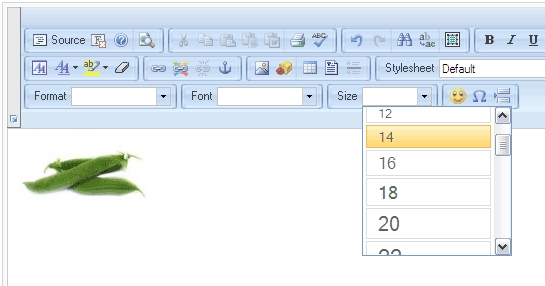
- Control features for editing/user uploads.
- Can be assigned per user.
- Can be different in the front and back ends.
- Many different editors available.
|
|
20
|
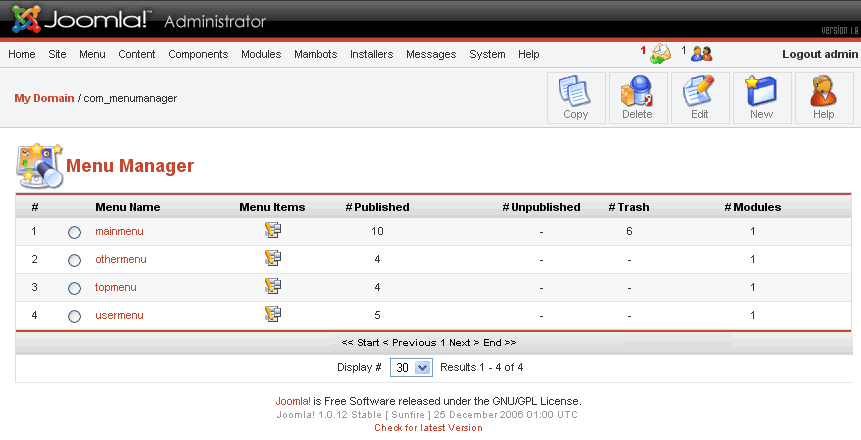
- Joomla allows for unlimited number of menus.
- Menus can link to anything on the site.
- Menus can link to external resources.
- Menus are linked to modules, and can be moved.
|

 Notes
Notes